
Learn a language from the shows you already watch
Subpair puts two subtitles on screen at once on Netflix and your own Jellyfin library: the language you are learning and your own. When a show has no subtitles in your language, a helper on your computer translates them.
- Free and MIT-licensed
- No account, no tracking
- Netflix and your own Jellyfin
- AI or offline translation, saved and reused
- English, 한국어, 日本語
Chrome, Edge, Brave and Firefox. Windows, macOS and Linux.

Everything you need to study while you watch
No copying subtitles into a notebook, no pausing to search a dictionary.
Two lines, always
The language you are learning on top, your own below, with fallback languages when a track is missing.
No subtitles? Translated
Missing your language? Subpair translates the main line on your computer or with AI, and remembers it. On Jellyfin it gets the next episode ready while you watch, and a whole season takes one click.
Replay any line
Jump to the previous, the same or the next line with one key, and pause at the end of every line.
Words you can click
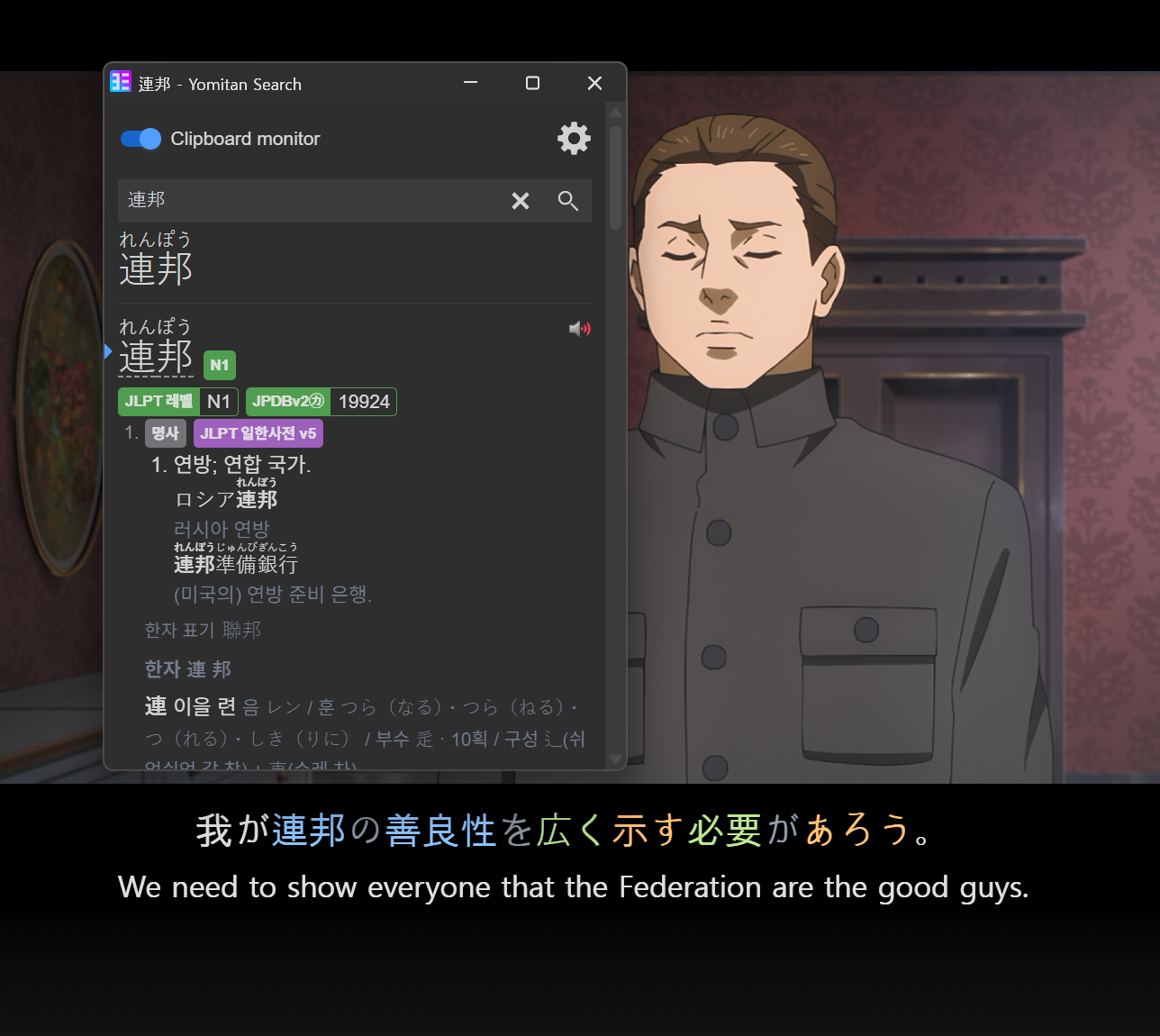
Japanese is colored by part of speech. Click a word to copy it for your dictionary or flashcards.
Full transcript
Every line of the episode in a side panel. Click one to jump straight to it.
Private by design
No account, no tracking. Nothing leaves your computer unless you turn on translation.
How to use it
Play a video and Subpair is there. The keys work without leaving the video.
- A Previous line
- R Repeat the line
- D Next line
- Q Auto-pause at the end of every line
- Click Copy a word
- CtrlClick Copy its dictionary form
- AltClick Copy the whole line
- AltShiftS Turn Subpair on or off
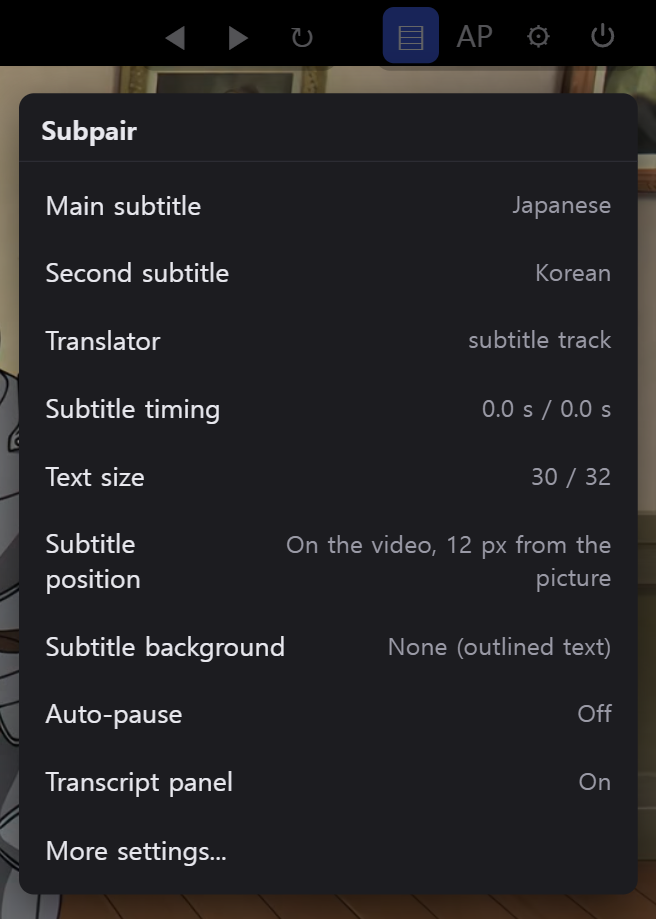
The gear button changes languages, text size, position and translation for the video you are watching. Keys can be changed in the settings.
Look words up with Yomitan
Pair Subpair with the free Yomitan dictionary.
Turn on Yomitan's clipboard monitor and every word you click in Subpair is looked up at once. Or hold Shift over a word for Yomitan's pop-up.
Get started in three steps
About five minutes. No account needed.
Add it to your browser
Install Subpair from the Chrome Web Store. The Firefox Add-ons listing is still in review; until then, Firefox users can download the latest version from GitHub and follow the install steps there.
Pick your languages
The settings page opens by itself. Choose the language you are learning and your own.
Press play
Open Netflix or your Jellyfin server and play a show. On Jellyfin, click the Subpair button in the toolbar once to turn it on for that server.
Translation, your way
When a show has no subtitles in your language, an optional helper on your computer translates them. Pick what suits you.
ezTrans
Japanese to Korean on Windows with ezTrans XP, a few lines ahead of the video.
Claude Code
Any language pair, using the Claude subscription you already have.
AI API
Anthropic, OpenAI, Gemini, DeepSeek and others, with your own key.
Local AI
Ollama or LM Studio on your own computer.
Every translation is saved, so a show you have translated once loads instantly. How to set up translation
Out-of-sync subtitle files? Try subsync-repair
A companion tool that checks the subtitle files on your server against their videos. It fixes subtitles that drift in some parts and leaves alone ones made for a different episode. Run it on a folder or a single file, or let Bazarr run it after every download.
Like Subpair? Try my other open source projects
Android apps, a Claude chat game, Claude add-ons and small tools. All free and open source.